School and studying
Explanations that stop where the knowledge stops.
Contracts, spreadsheets, PDFs, a folder of scans. It reads what you attach and hands back something you can open - not a table pasted into a chat window.
Contracts, spreadsheets, PDFs, photographed pages. A spreadsheet becomes Markdown and travels along as evidence.
A summary, a table, a draft reply, a figure you cannot find.
A real .xlsx or .docx with the numbers in cells - not a table pasted into a chat window.
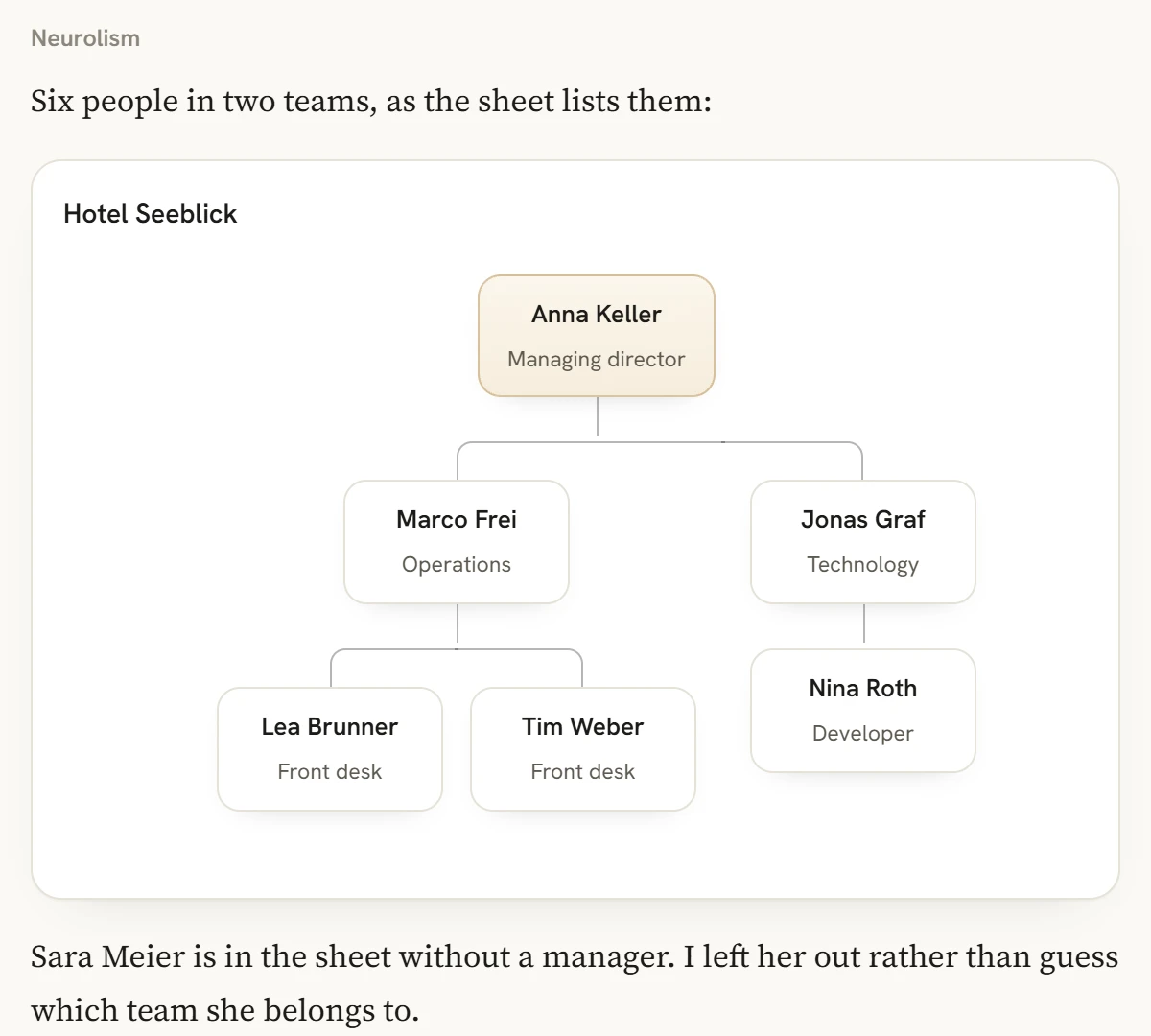
A staff list becomes an org chart, two offers become a comparison with a recommendation, and a process described in an email becomes a diagram.
It does not sign anything and it does not send anything. A draft is a draft: the sentence that ends up in a contract is one you read first.
Here are twelve monthly reports as PDFs. Pull out revenue per region, put it in a spreadsheet and tell me which region broke its trend.
Medium. Office work is mostly reading carefully, and Medium reads carefully.
Compare the sizes.xlsx, .xlsm, .csv, .tsv, .docx, .pdf, plain text, and images of pages. A scanned page is read as an image, so handwriting is hit and miss.
No. It drafts; you send. Nothing leaves your account on its own.
If you connect them. Microsoft 365 (OneDrive and Outlook mail) and Google Drive can be connected in the app; it then searches your files and reads your mail when you ask it to. Read only: it never changes or sends anything, and you can disconnect at any time.
It depends on the plan. The app says so before the upload, not after.
Explanations that stop where the knowledge stops.
Reads the numbers, and refuses to be your adviser.
Own account, own keys, prepaid credit, no seat count.