Your personal AI agent.
Alva keeps your tasks, reminds you on time, runs routines at the hour you set and tells you when to leave for your next appointment. She remembers what you tell her, and asks before anything is bought or booked.
What she does for you.
Real things from a normal week. Each picture is the app itself.
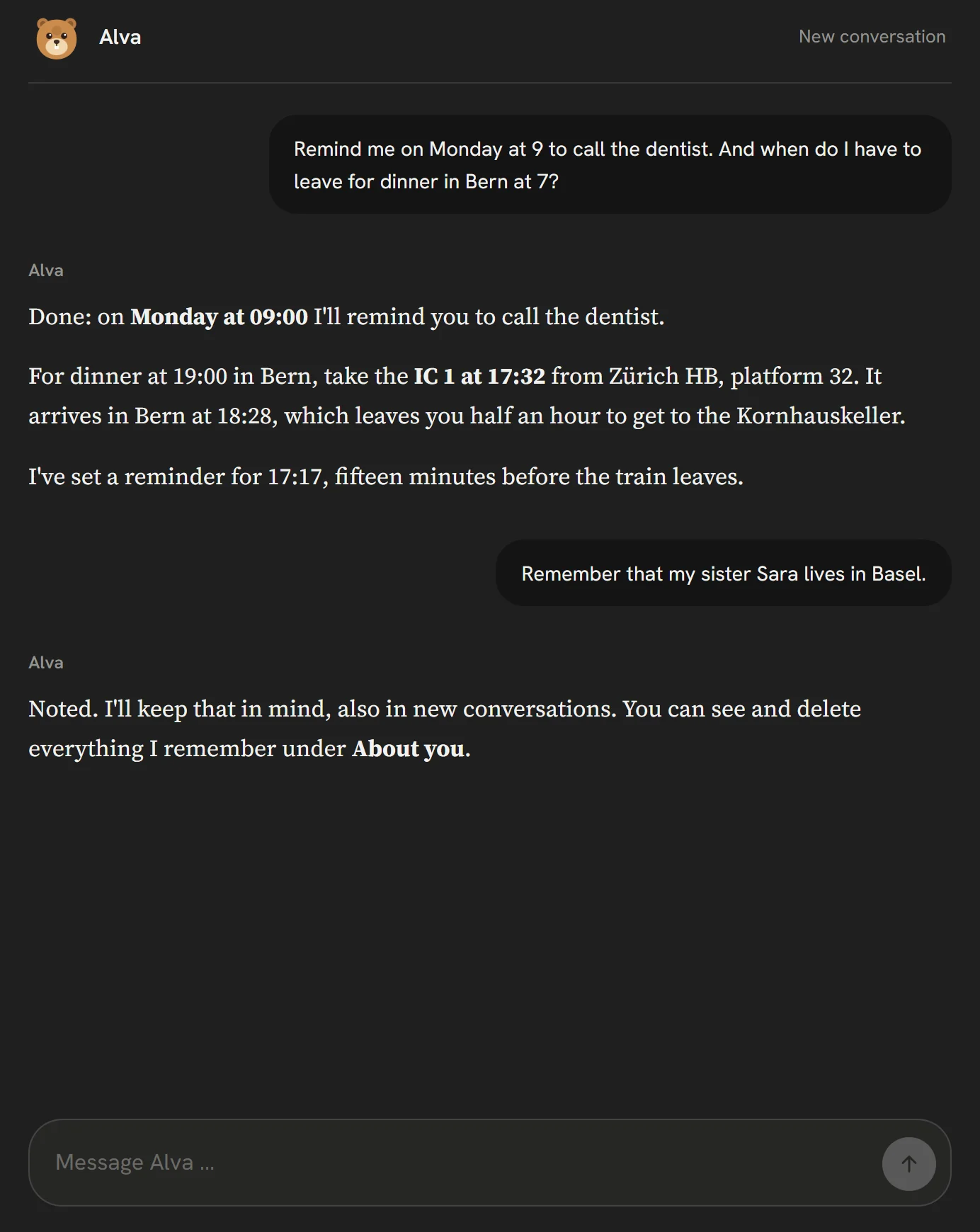

Know when to leave
The right train for your next appointment, and a reminder fifteen minutes before it leaves.
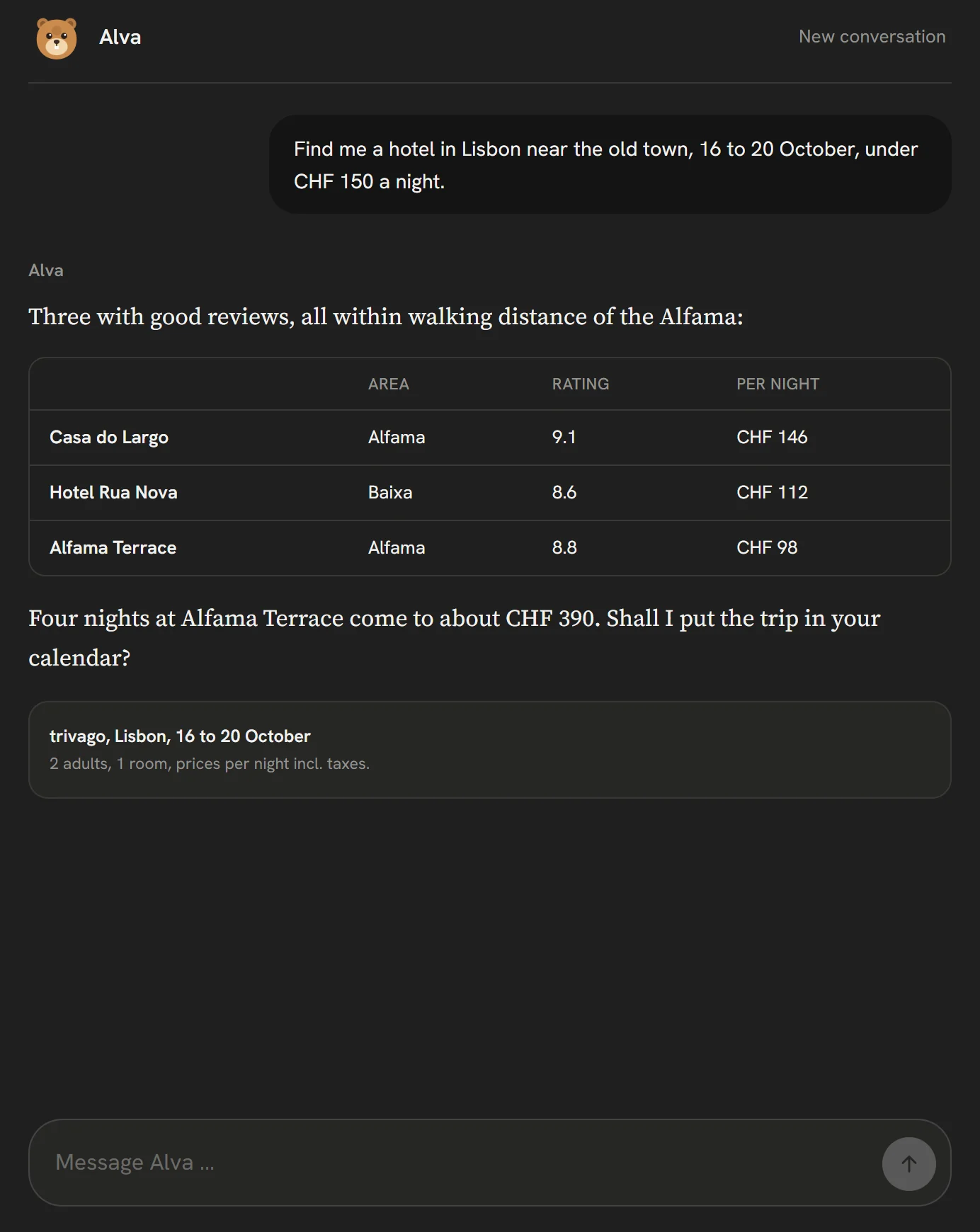
Find a hotel
Rooms within your budget, with rating and area, compared on trivago.
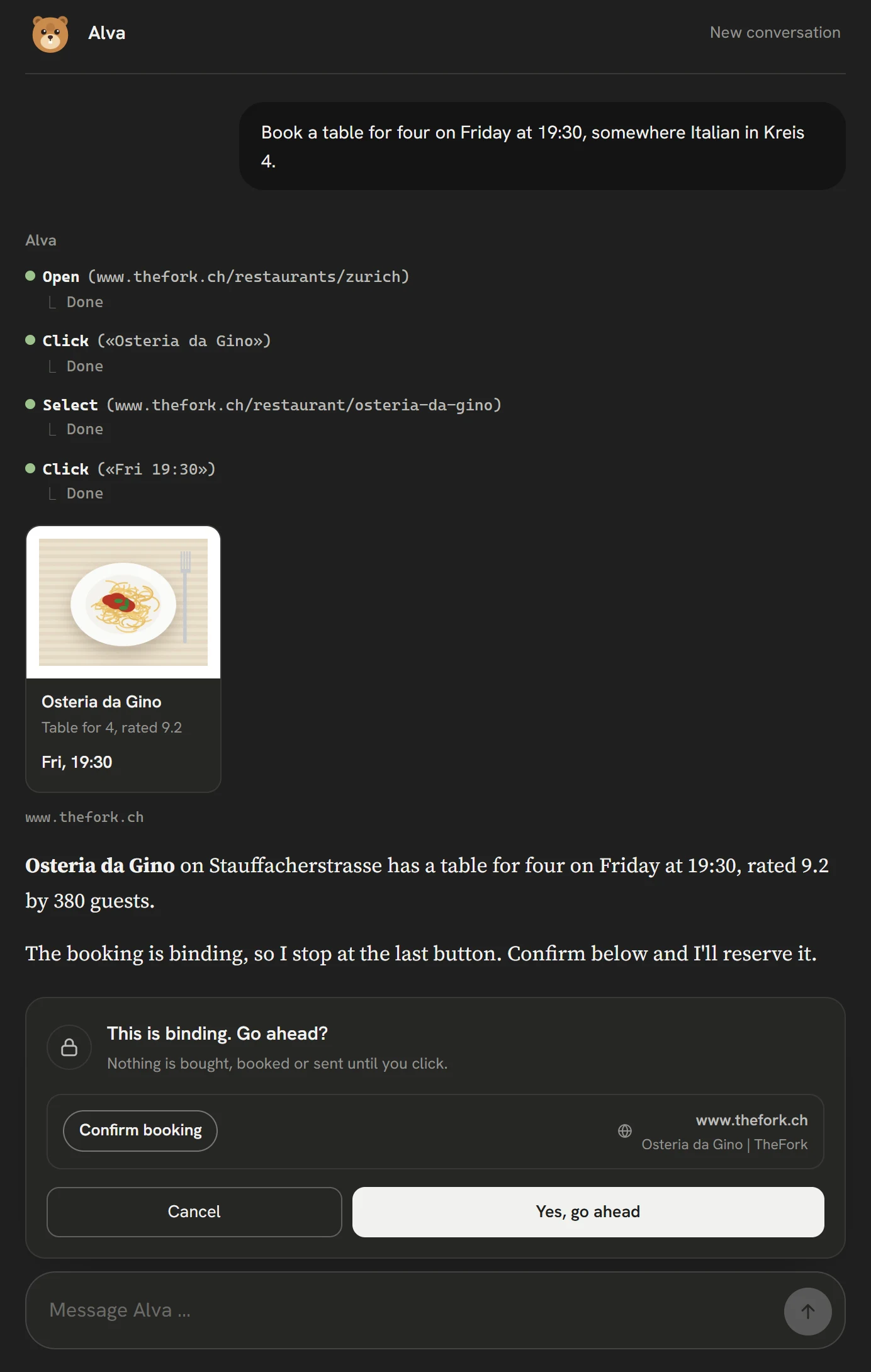


Book a table
A free table at the right time, found on TheFork. She asks before the booking goes through.
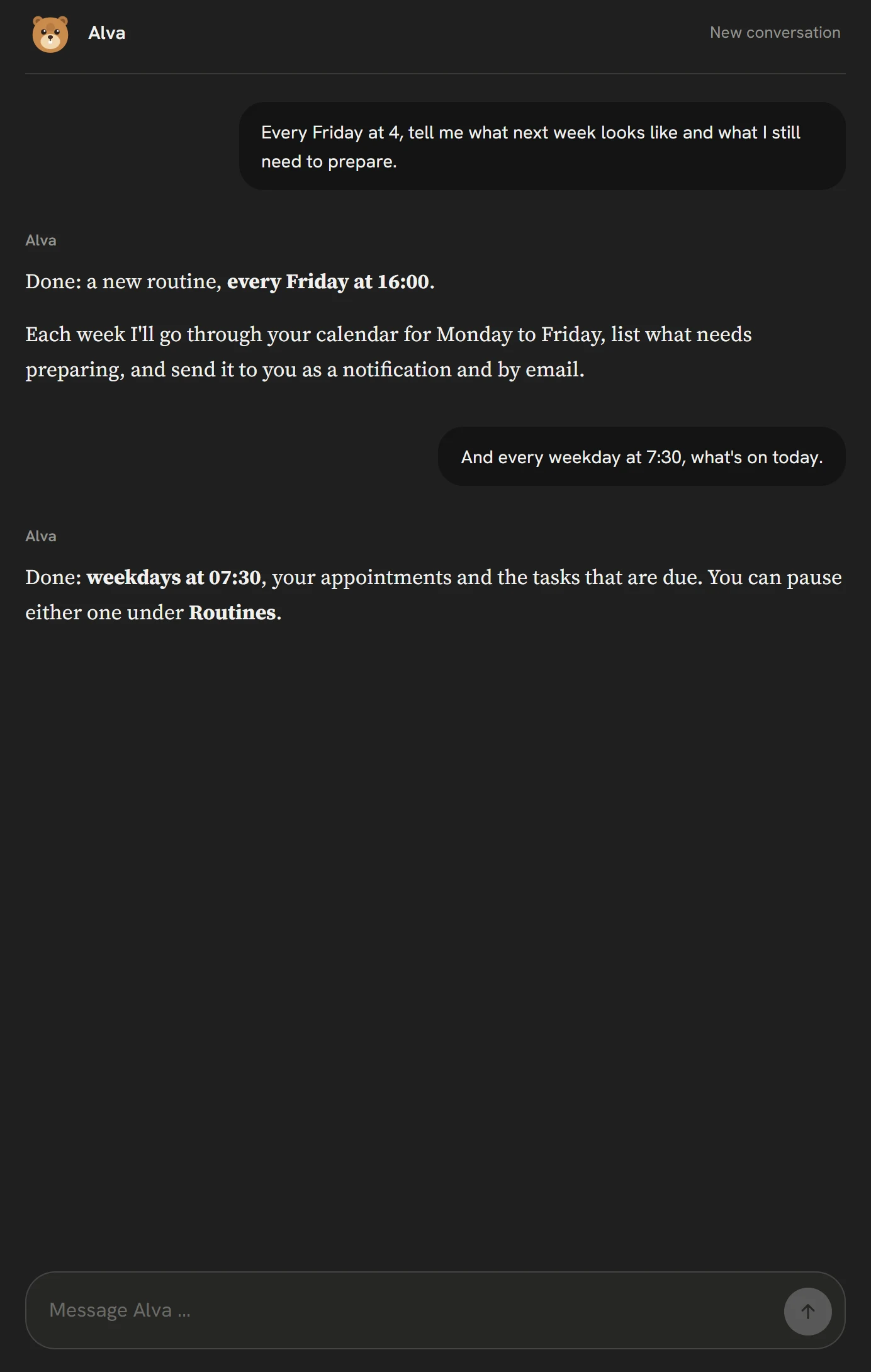
Routines that run on their own
A weekly look ahead on Fridays, a morning overview on weekdays. Set up in one sentence.
Just say it.
No forms to fill in. These are sentences she understands, and what each one becomes.
- Remind me on Monday at 9 to call the dentist.Task with a reminder
- Every weekday at 7:30, tell me what's on today.Routine
- When do I have to leave for dinner in Bern at 7?Timetable
- What's in my calendar this week?Calendar
- Remember that I'm vegetarian.Memory
- Find a flat in Lisbon for October on Airbnb.Browser, desktop app
And every day, in the background.
Four things she keeps track of for you.
Tasks and reminders
Say it in the conversation and it lands on the list, with a due date, a reminder, and repeating if you want. The Tasks page is for looking over and tidying up.
Routines
Things she does at a set hour, such as an overview of the day on weekdays at 7:30. Set them up in the conversation or on the Routines page, and pause them any time.
Heads-ups before appointments
With a connected calendar she looks ahead every five minutes. If an appointment has a place and she knows where you live, she names the train and tells you fifteen minutes before it leaves.
A memory you can read
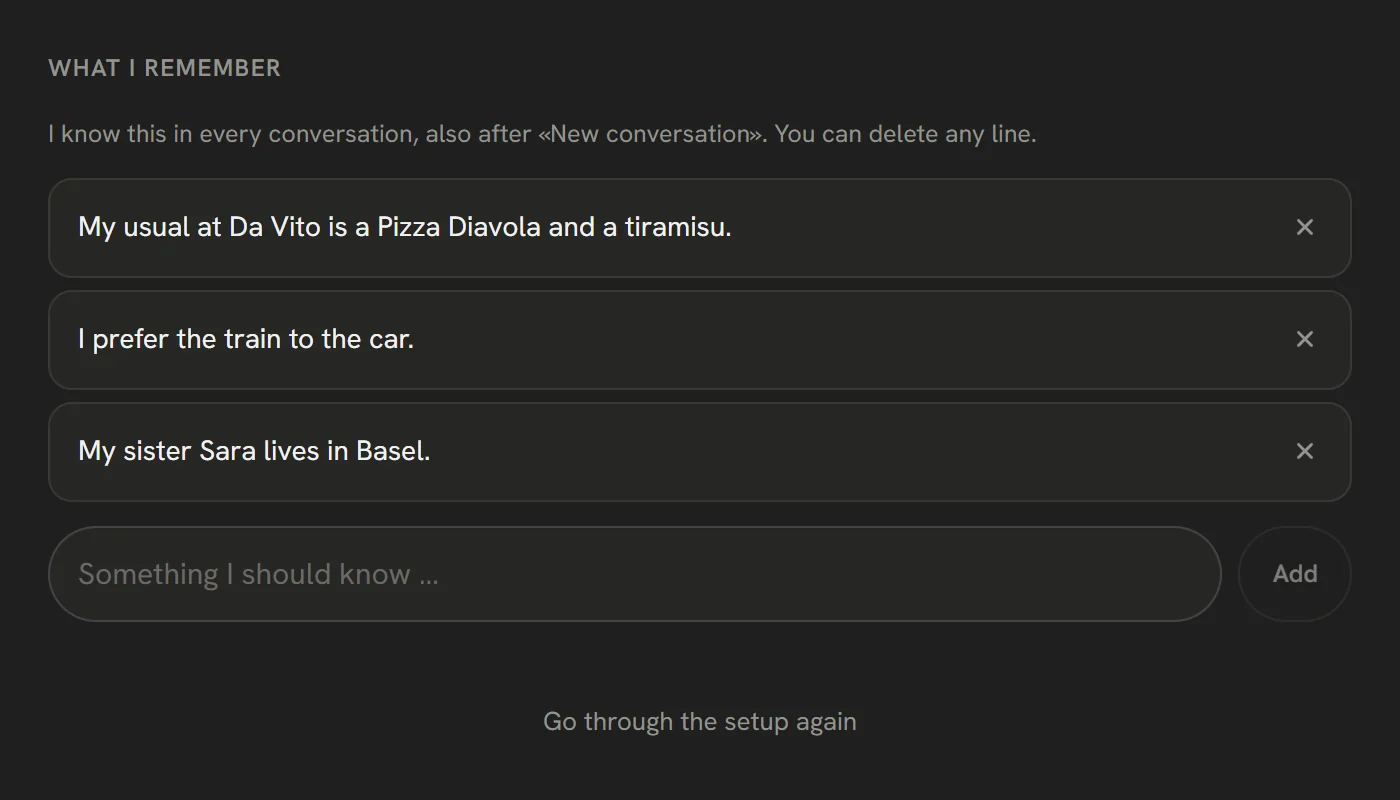
What you tell her stays, also in a new conversation. Everything she remembers is listed under About you, and you can delete any of it.
The services she works with.
Connected once under Services, or simply used in the browser.
Calendar and mail
- Google Calendar
- Outlook
- Apple iCloud
- Gmail
Trains, flights and stays
- SBB
- Kiwi.com
- SWISS
- easyJet
- trivago
- Booking.com
- Airbnb
- Expedia
- FlixBus

Shopping
- Amazon
- Galaxus
- Brack.ch
- Zalando
- IKEA
- H&M
- MediaMarkt
- Ricardo
- Coop
- Migros



Food, tables and tickets
- Just Eat
- Uber Eats
- Smood
- TheFork
- OpenTable
- Ticketcorner

Tasks, notes and parcels
- Notion
- Todoist
- Linear
- TickTick
- Die Post

Shopping, food and booking run in the browser of the desktop app for Windows and Mac, and where a shop offers it, Alva pays on invoice. Timetables, flight and hotel search work everywhere.
One conversation that remembers.
Start a new conversation whenever you like. Before the old one closes, Alva notes what is worth keeping, and every new one starts with what she knows about you.
- Your open tasks and routines, in every conversation
- Facts about you, written down in the first person
- Answers in the language you write in
How she reaches you, and where she stops.
An agent is only useful if you know what it will not do on its own.
A notification, an email, or both
Reminders and routine results arrive as a push notification and by email, and wait under New from Alva in the app. You choose which.
Buying and booking wait for you
In the browser, anything that buys, books, pays or sends needs your click, even when everything else runs on its own.
Passwords stay with you
She never types into password or card fields. Where a sign-in is needed, she hands the page over to you.
Never used for training
Like everything in Neurolism: conversations, tasks and what she remembers are never used to train a model.
Questions.
What does Alva cost?
Alva is part of every Neurolism plan, including Free. What she does counts like messages on your plan, and a routine counts as one message each time it runs.
Does Alva work on my phone?
Yes, in the browser on your phone. For notifications on an iPhone, add Neurolism to the home screen first; that is how Apple lets web apps send them. Using a browser for you works in the desktop app for Windows and Mac.
Which calendars does she read?
Google Calendar, Microsoft 365 and Apple iCloud. You connect them once under Services, and you can disconnect them at any time.
Can she send email for me?
With Microsoft 365, mail she writes stays a draft until you send it yourself. From a mailbox you connect with an app password, she sends only when you ask her to.
Can Alva buy on invoice?
Where the shop offers it, yes: Alva chooses payment on invoice or a payment method you have saved with the shop, because she never types card numbers. The order is then sent to you and the invoice comes from the shop. Every purchase still waits for your click.
Is Alva a separate account?
No. It is the same Neurolism account and the same app. Switch between Neurolism and Alva at the top of the window.